Planet Atmosphere: Difference between revisions
No edit summary |
No edit summary |
||
| Line 30: | Line 30: | ||
* '''Redsky decay:''' TBC | * '''Redsky decay:''' TBC | ||
'''Example movies''' | |||
[[File:HAZE_Density.gif]] | |||
| Line 73: | Line 77: | ||
Bluesky density: 64<br /> | Bluesky density: 64<br /> | ||
[[File:Blueskydensity64.jpg]] | [[File:Blueskydensity64.jpg]] | ||
|- | |||
| | |||
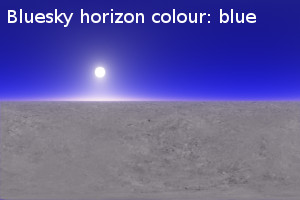
Bluesky horizon colour: blue<br /> | |||
[[File:BlueskyhorizoncolourBlue.tif]] | |||
| | |||
Bluesky horizon colour: green<br /> | |||
[[File:BlueskyhorizoncolourGreen.jpg]] | |||
| | |||
Bluesky horizon colour: red<br /> | |||
[[File:BlueskyhorizoncolourRed.jpg]] | |||
|- | |||
| | |||
Bluesky horizon colour: yellow<br /> | |||
[[File:BlueskyhorizoncolourYellow.jpg]] | |||
|- | |- | ||
|} | |} | ||
Revision as of 15:04, 13 March 2014

Node Description and Purpose:
The Planet Atmosphere node provides all the effects of a full planetary atmosphere, including blue sky, the red of sunsets, and distance-enhancing haze. You can control many aspects of the atmosphere to fine-tune or enhance a realistic Earth-like atmosphere, or create completely alien skies. The default scene includes a Planet Atmosphere node. Note that clouds are created separately using the Cloud Layer v2.
Node Type: Atmosphere
Settings:
- Enable primary: TBC
- Enable secondary: TBC
Main Tab
- Haze density: TBC
- Haze horizon colour: TBC
- Haze type: TBC
- Bluesky density: TBC
- Bluesky horizon colour: TBC
- Bluesky additive: TBC
- Redsky decay: TBC
Example movies

Example Picture
|
Haze horizon colour: blue |
Haze horizon colour: green |
Haze horizon colour: red |
|
Haze horizon colour: white |
Haze horizon colour: yellow | |
|
Bluesky density: 0.01 |
Bluesky density: 0.5 |
Bluesky density: 4 |
|
Bluesky density: 16 |
Bluesky density: 32 |
Bluesky density: 64 |
|
Bluesky horizon colour: blue |
Bluesky horizon colour: green |
Bluesky horizon colour: red |
|
Bluesky horizon colour: yellow |